Census
Know where the players are before you head out.
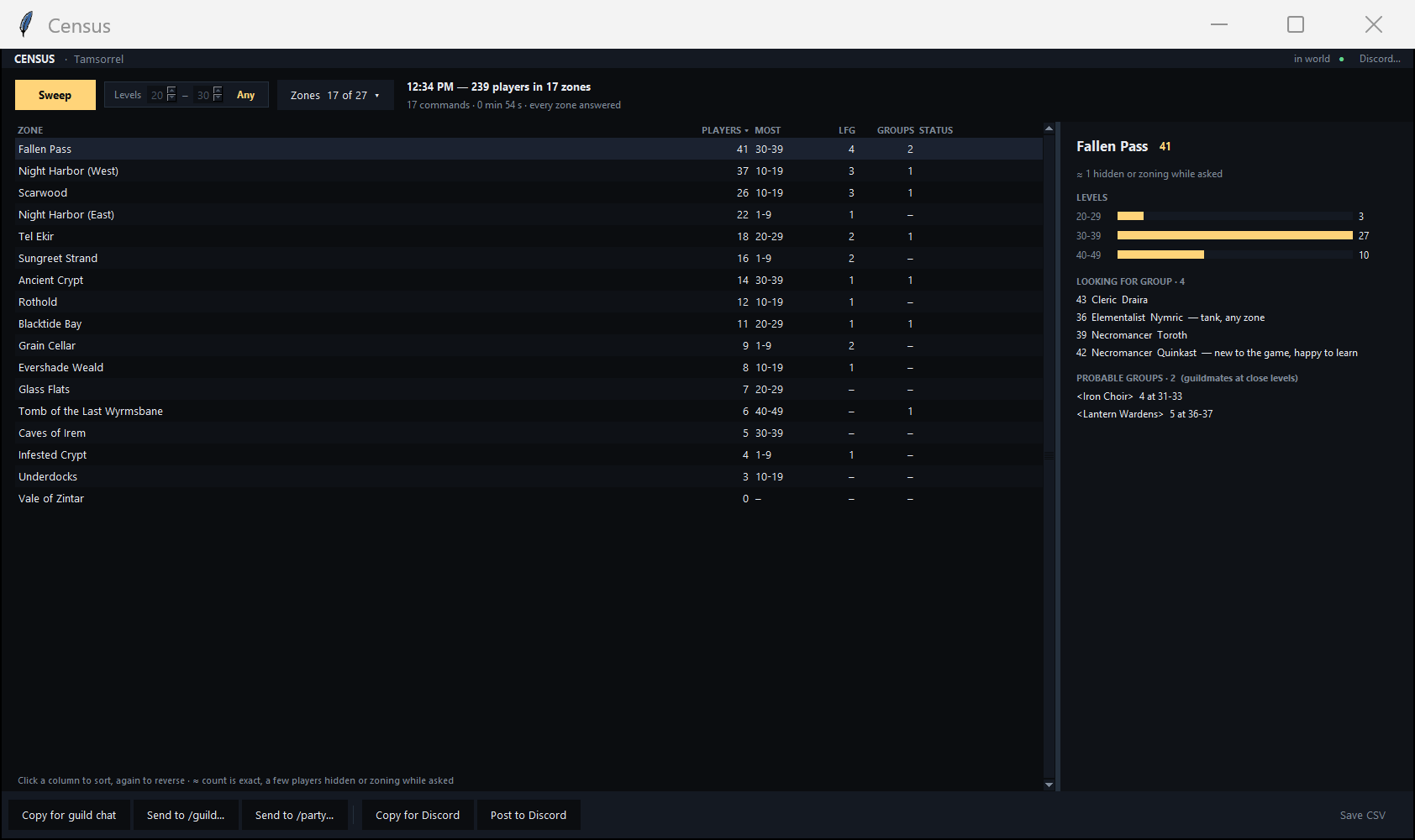
One sweep tells you how many players are in each zone, what levels they are, who is looking for a group, and how many groups are probably out there.
Included with Entity Radar, or on its own
What you get
The whole server, at a glance.
Census asks the game’s own /who for each zone you choose and turns the answers into something you can read in seconds.
One-button sweep
Pick your zones and press Sweep. Narrow it to a level range if you only care about your bracket.
Levels and LFG, per zone
Player counts, the most common level band and how many are looking for a group, for every zone.
Probable groups
Guildmates at close levels in the same zone are probably grouped. Census shows you where.
Your zone sets
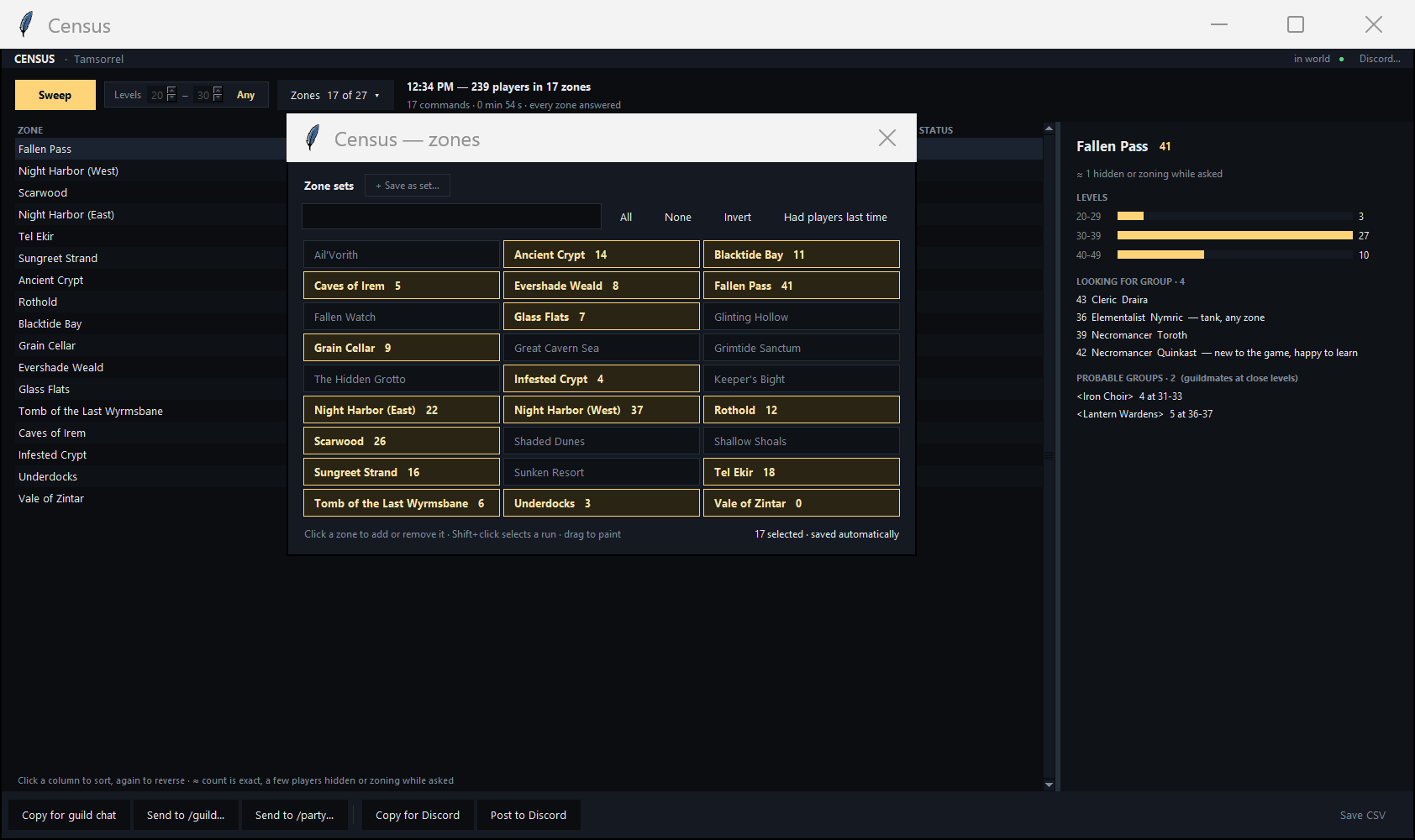
Click or drag to choose zones, save the sets you use, or pick the ones that had players last time.
Share with your guild
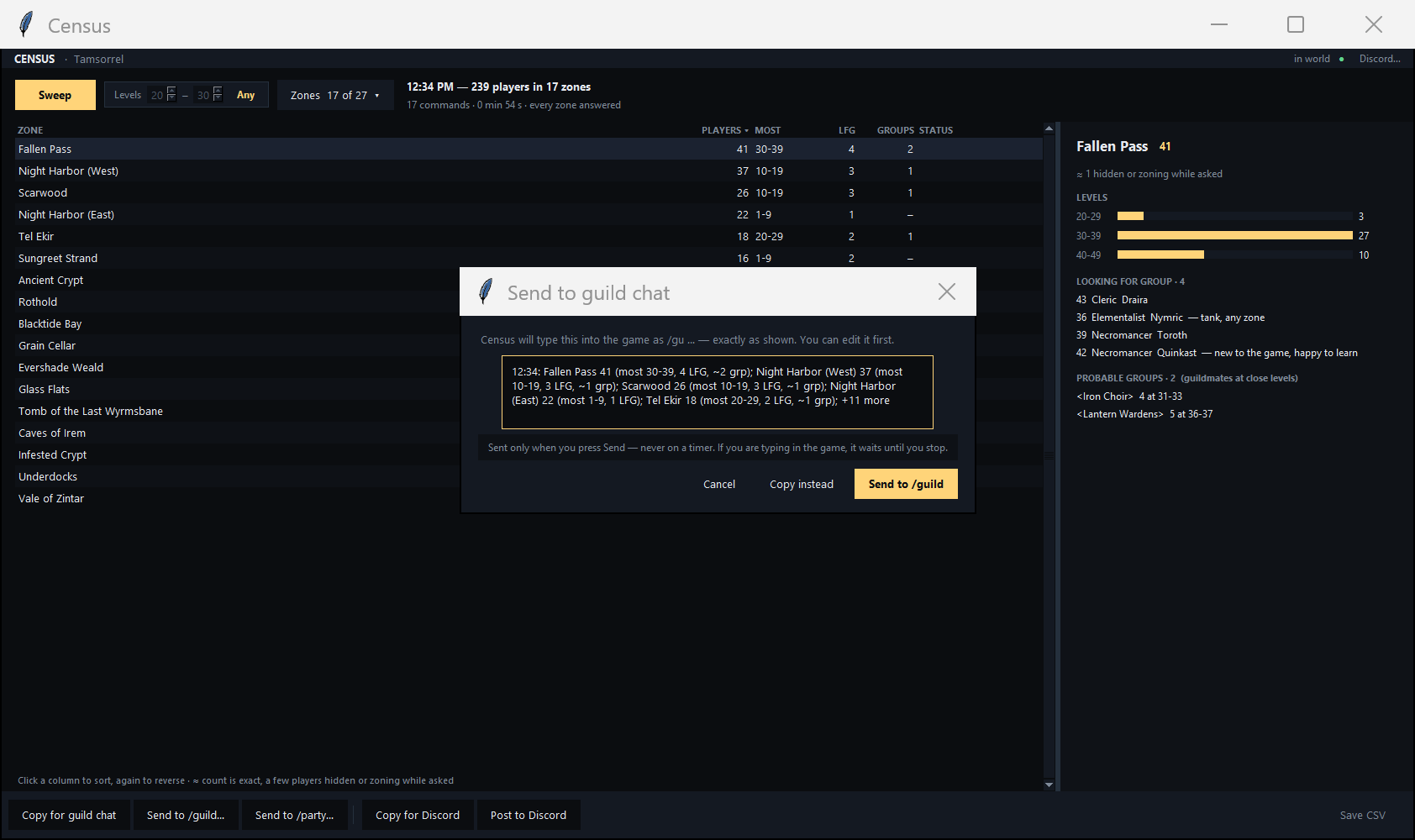
Send a one-line summary to guild or party chat. You see the exact line first, and it only goes when you press Send.
Discord and CSV
Copy a summary for Discord or post it through your own webhook, and save any sweep as a CSV.
/who commands into the game, one zone at a time, and one line to guild or party only when you press Send. It doesn’t move your character or write to the game’s memory. Players who are anonymous or roleplaying still count toward a zone’s total, but don’t show a level or class. Census is a separate product with its own terms, which you read and accept before using it.Find the action. Find a group.
Monthly, cancel any time, and you keep access until the end of the period you paid for.