Entity Radar
Know what’s around the next corner.
A live radar drawn over Monsters & Memories. See every creature, NPC, player and item nearby, keep your own map of every zone, and stop running blind into trouble.
Windows 10 or 11 · cancel any time
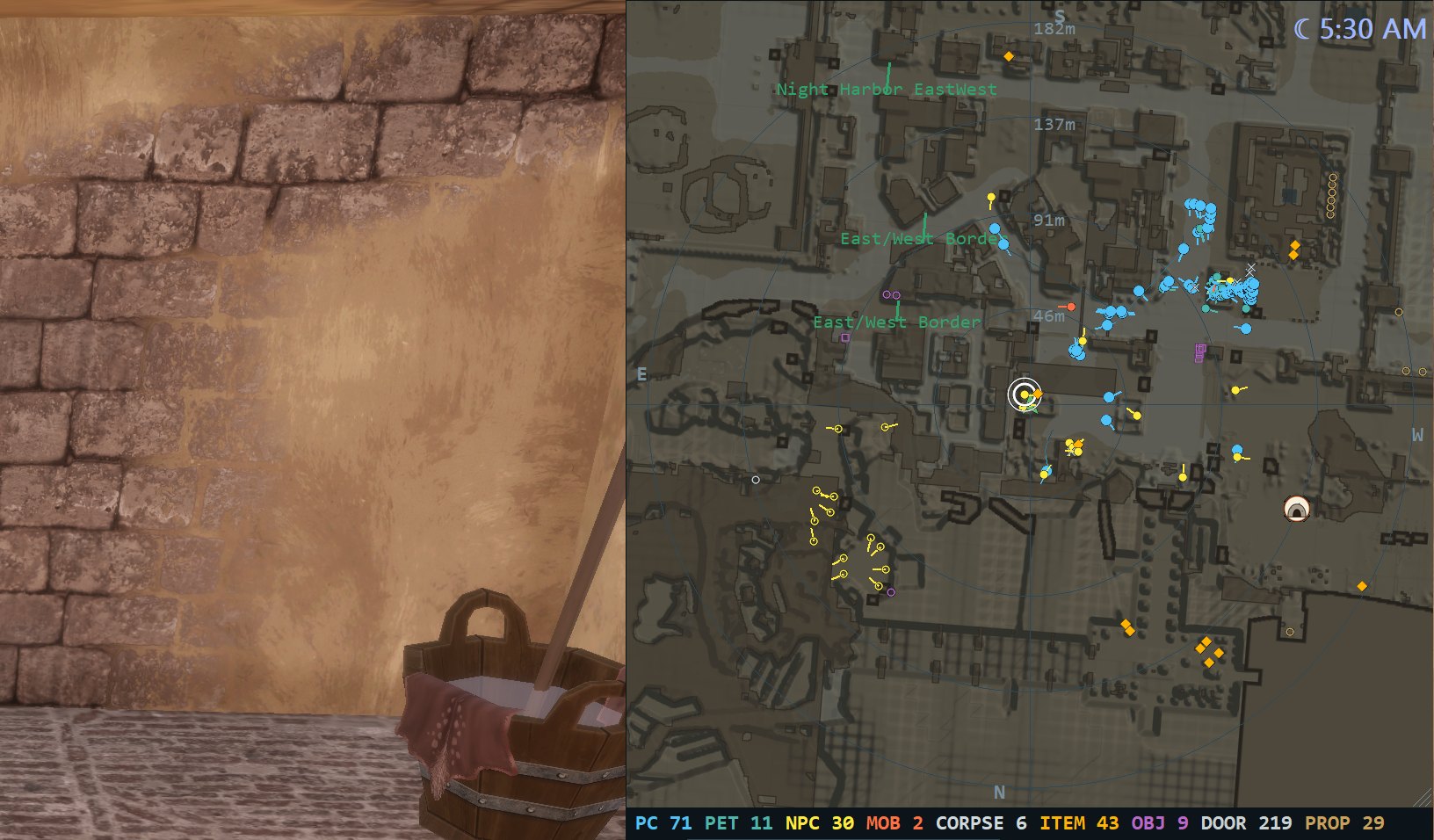
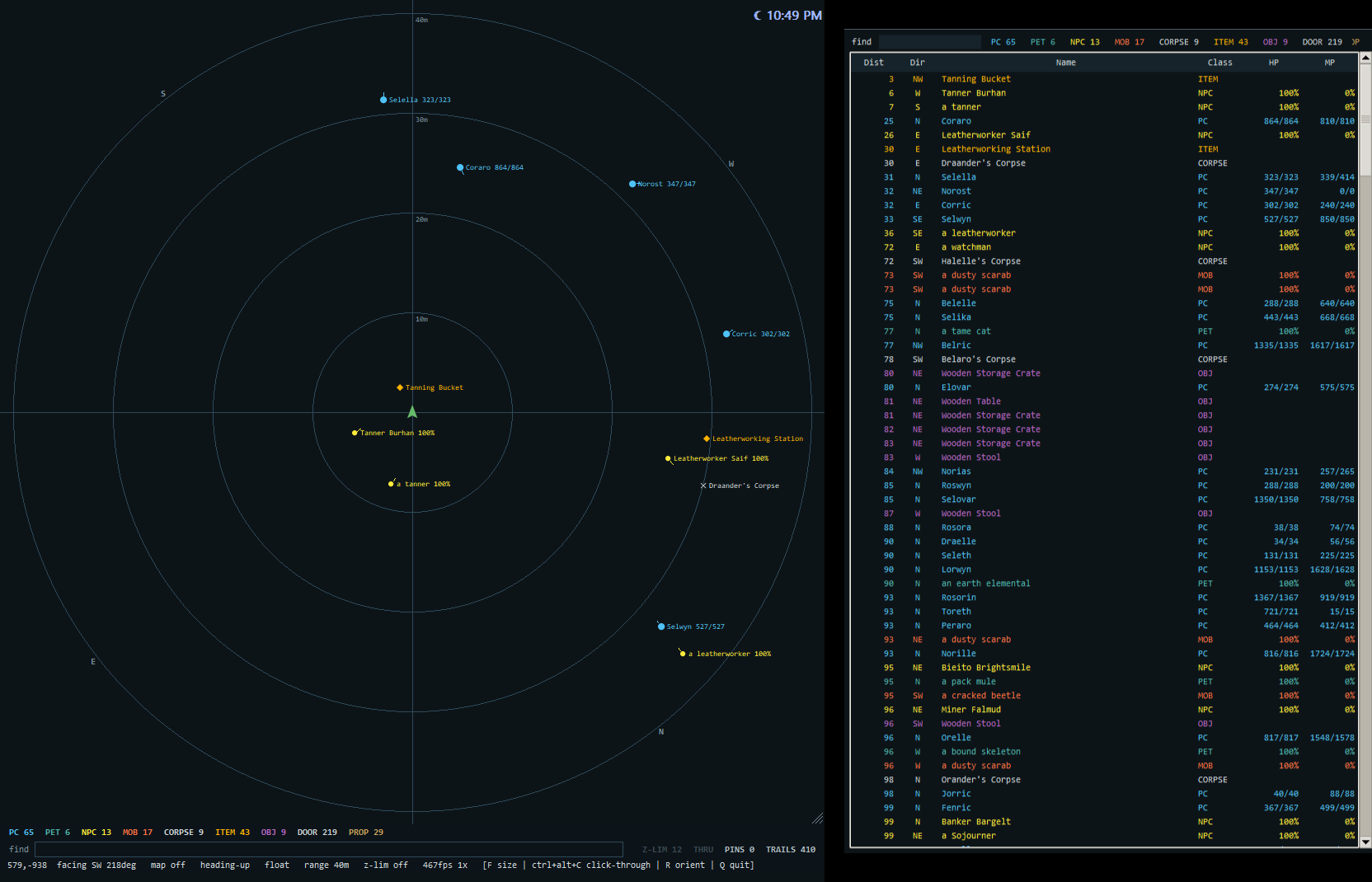
The overlay
Everything nearby, at a glance.
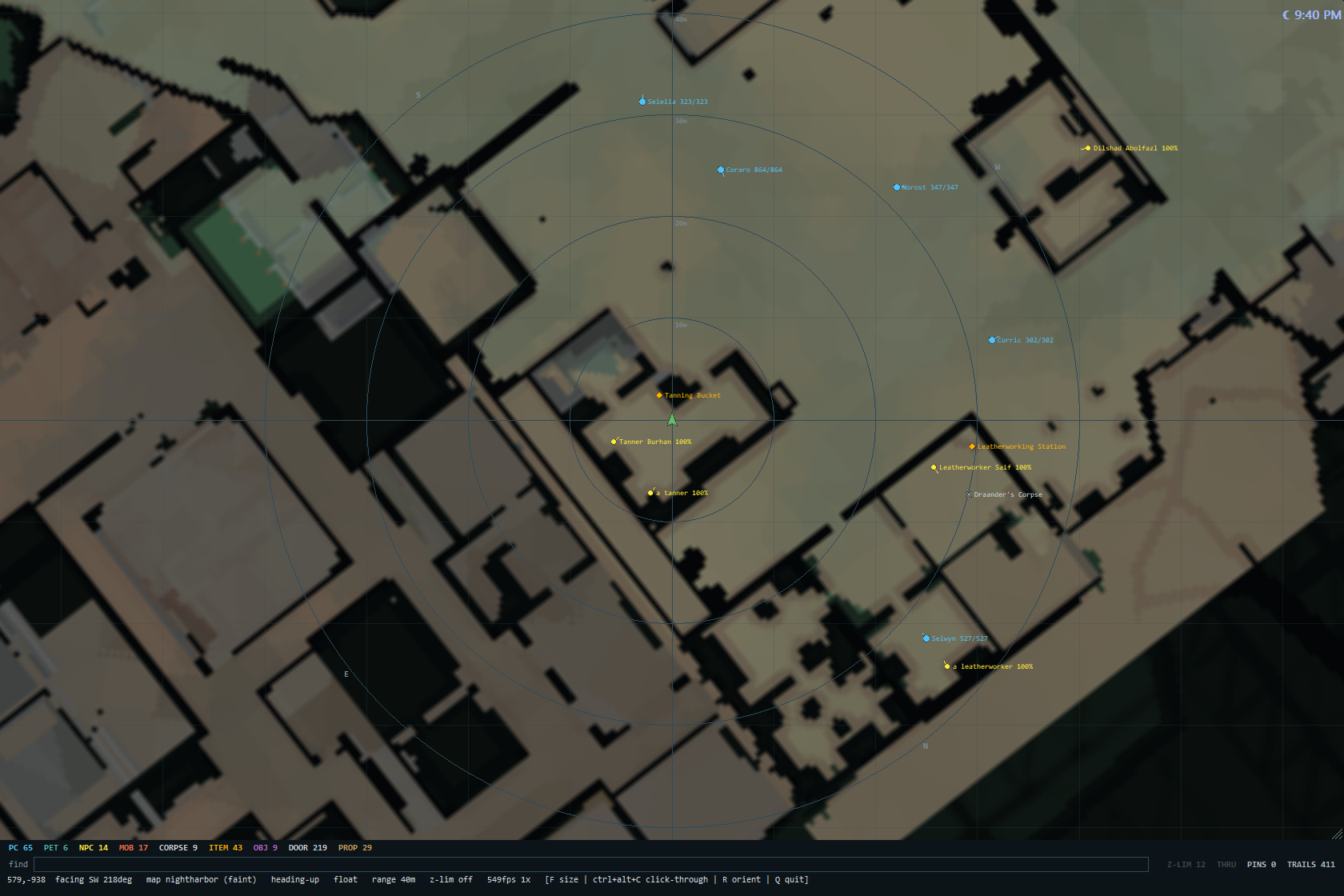
A compact dial and a sorted list, in a window that sits on top of the game. Glance over, read the room, get back to playing.
See the whole area
Players, pets, NPCs, mobs, corpses, dropped items, objects, doors and crafting stations, each in its own color, with a count of each under the dial.
Filters on one key
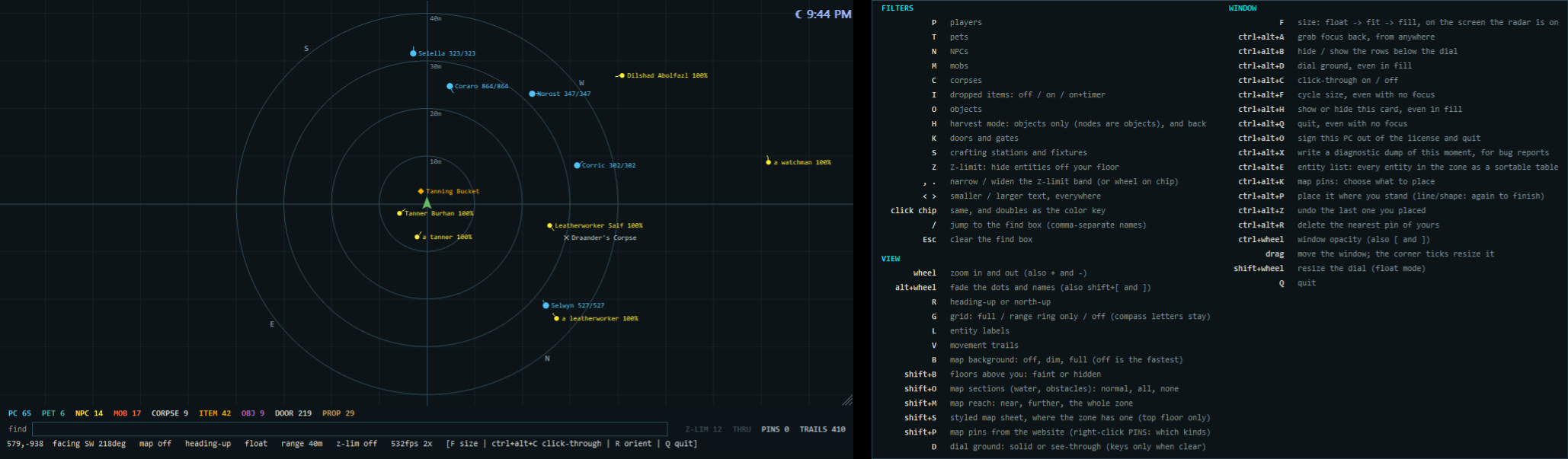
Press a letter or click a chip to show or hide each kind. Show only your party, or switch to harvest mode to see nothing but nodes while you gather.
Only your floor
In towns, towers and dungeons, hide everything above and below you, and see at a glance what’s on another floor.
Find it fast
Type part of a name, or several separated by commas. Matches get a ring and everything else dims.
The entity list
Every entity in the zone in a live, sortable table: distance, direction, guild, health, and the buffs and debuffs on you, your party and other players, with the time left. Click a row to ring it on the dial.
Read the moment
The in-game clock with day and night, a countdown on dropped items, movement trails, and a warning when you or your pet are hungry or thirsty.
Maps
Every zone, mapped. Your notes on top.
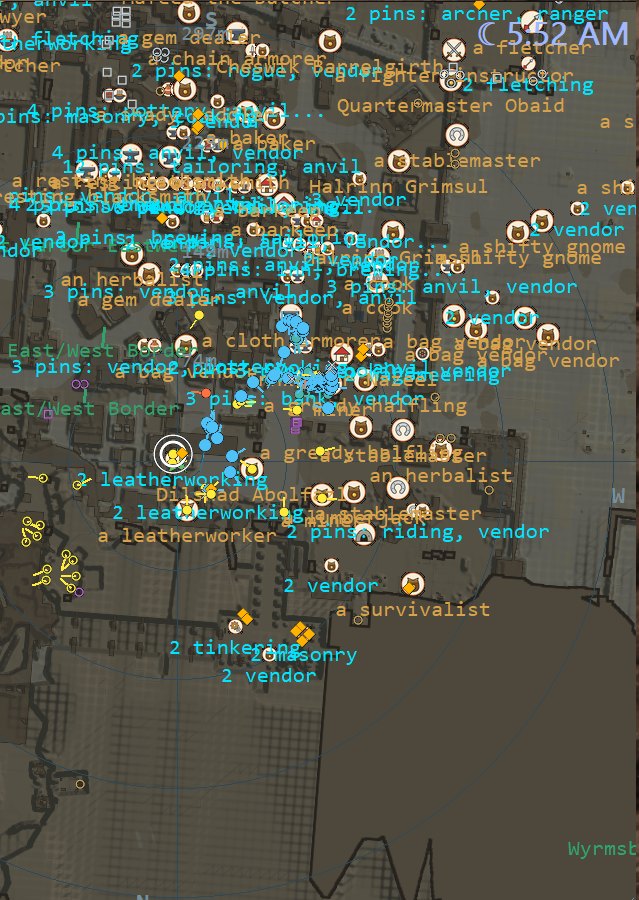
Full resolution, in two themes. Mark what you find, and your pins follow you into the radar. It tracks what you discovered, so nobody else’s exploration gets spoiled.
- Your pins, on your map — never shown to other players.
- 68 purpose-drawn icons for trainers, bankers, tradeskills and services, plus text, lines, shapes and circles.
- A map under the dial — walk into a zone and its map appears beneath you, with illustrated sheets for some zones.
- Drop a pin from inside the game — place it from the radar and it lands on your map.
- Auto-pins, if you want them — your radar can pin the NPCs, harvest nodes and crafting stations it sees as you play.
- Map and radar stay in sync — hide a group on the site and it’s hidden on your radar too.
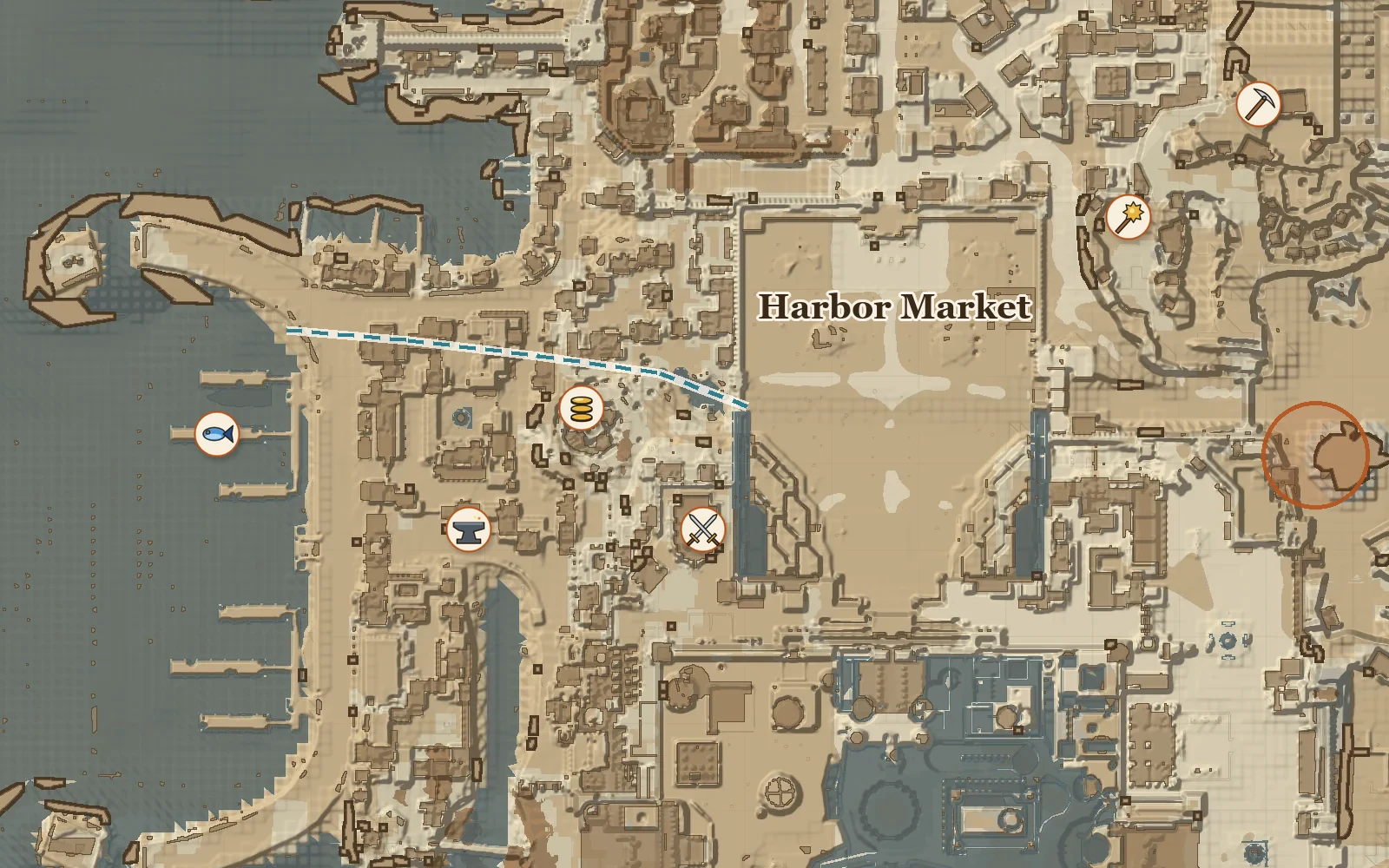
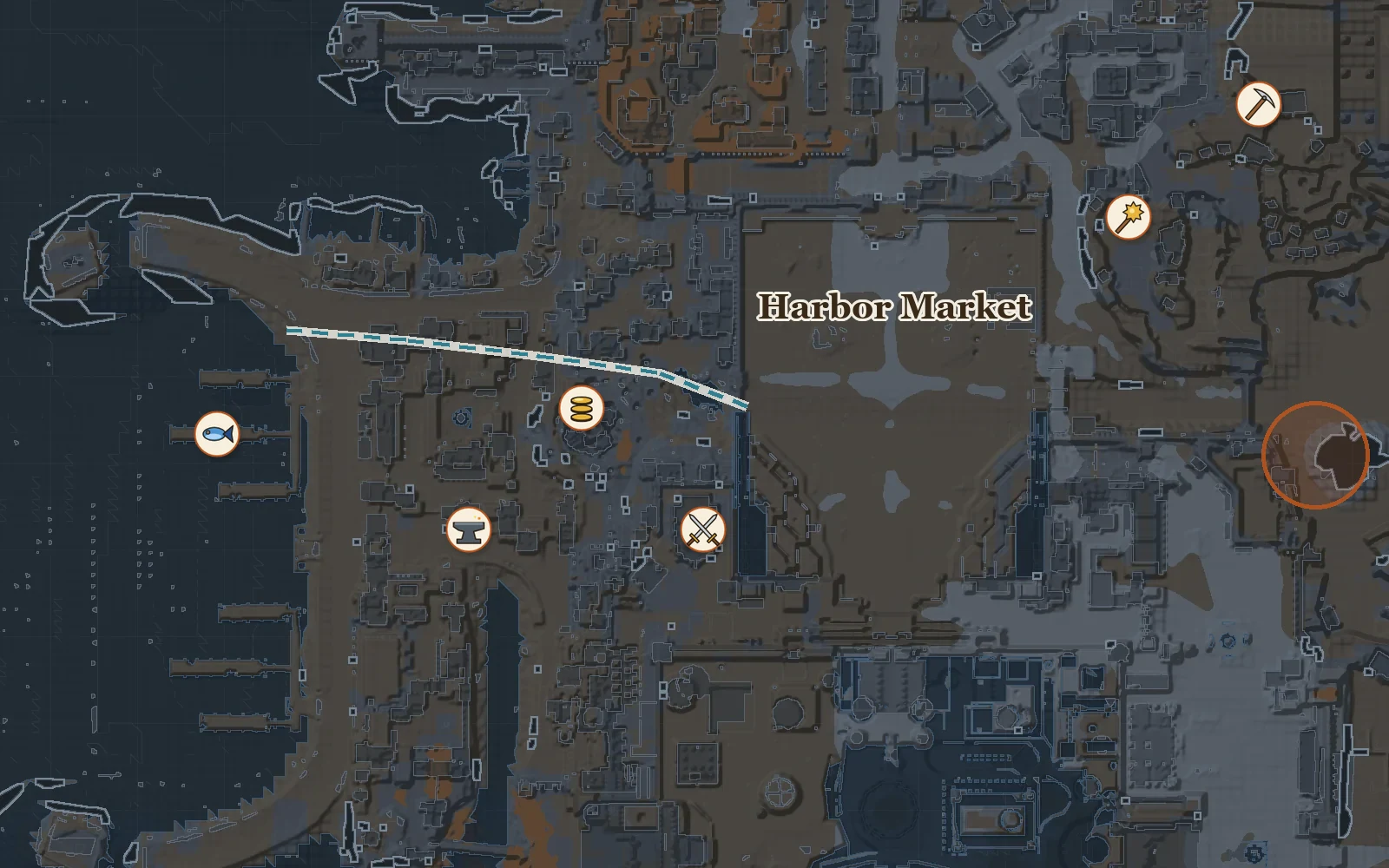
Find anything
Search your pins and filter by group when a map gets busy.
Live coordinates
Pan, zoom, and read world coordinates right under your cursor.
Take it with you
Download any zone with your own pins, in world coordinates.
Make it yours
A small dial, or the whole screen.
Float it in a corner, fit it to the game, or lay it over everything. Radar keeps your settings, so it opens the way you left it.
Three sizes
A floating dial you drag and resize, a window sized to the game, or a full overlay on top of it.
Click-through and see-through
Let your mouse pass straight to the game, make the dial’s ground clear, and fade the whole window to taste.
Your view
Heading-up or north-up, zoom from 10 m to 2,500 m, larger or smaller text, and rings, labels and trails on or off.
Built to last
Made for the long haul.
Patch day is handled
Game updates break overlays. When one lands, we ship a fix, and the radar downloads and installs it itself the next time you start it.
Reads, never writes
It reads the running game and draws in its own window. It never writes to the game, never injects code, never modifies a game file and never sends input for you.
Your license, your PCs
Activate a PC from your account and move your seat between machines yourself, any time.
Census included
Know where the players are, too.
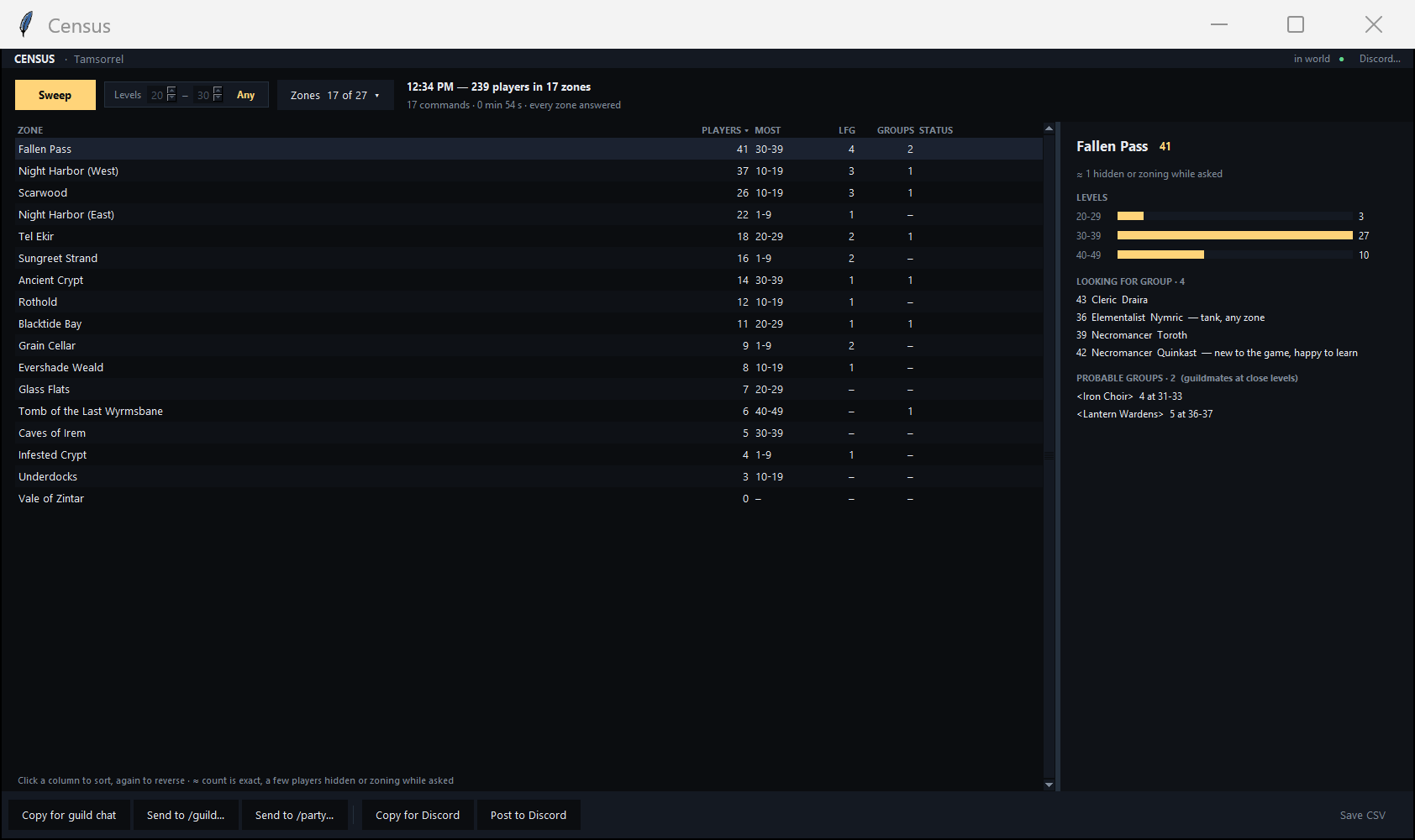
Your Entity Radar subscription includes Census. One sweep shows how many players are in each zone, their levels, who’s looking for a group, and the probable groups. Census has its own terms, which you accept before using it.
Stop running blind.
Monthly, cancel any time, and you keep access until the end of the period you paid for.